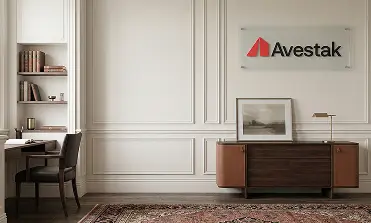
Gradient Background with Custom Logo
Minimal gradient virtual backgrounds that keep the focus entirely on you. A clean color transition with optional logo placement — simple, distraction-free, and professional across Zoom, Microsoft Teams, Google Meet, and Webex.
No backgrounds yet
Backgrounds will appear here once they are added.
Why Gradient Backgrounds Work for Video Calls
Sometimes the best background is the simplest one. Gradient virtual backgrounds use a smooth color transition instead of a rendered scene, which means there are no visual elements competing for attention during your meeting. The result is a clean, modern look that keeps the camera focused on what matters — you and your message.
Gradients also perform well technically. Because they lack complex textures and high-contrast edges, video conferencing platforms like Zoom and Microsoft Teams render them with fewer artifacts. Edge detection around your silhouette tends to be cleaner with gradient backgrounds than with detailed photo-realistic scenes.
When to Use a Gradient Background
- Client calls and sales meetings — A clean gradient with your logo looks polished without being distracting
- Presentations and webinars — Minimal backdrops pair well with screen sharing and slide content
- Team-wide consistency — Gradients in your brand colors create instant visual unity across sales teams or departments
- Recordings and video content — Clean backgrounds translate well to different screen sizes and social media formats
Branded Gradient Backgrounds
Gradient backgrounds are particularly effective for branded virtual backgrounds. Your company logo stands out clearly against a smooth color field, and the color gradient itself can be built from your brand palette. The effect is subtle, professional branding that reinforces your identity without cluttering the frame.
Whether you prefer a soft neutral fade, a bold corporate color wash, or a subtle two-tone blend, every gradient is delivered at HD or 4K resolution and works across all major video meeting platforms.
Create your gradient background with logo in just a few minutes.
Frequently Asked Questions
Gradient backgrounds often produce cleaner edge detection around your silhouette because there are fewer high-contrast details for the platform to process. They're a great choice if you want a polished look with minimal visual noise.
Yes. You can create gradients using your company's color palette, with your logo placed on top. This makes gradient backgrounds especially popular for team-wide branded setups.
Yes. Gradient backgrounds work on all major platforms — Zoom, Microsoft Teams, Google Meet, and Cisco Webex — with no adjustments needed.